
Come connettere Stripe al tuo sub-account
Scopri come integrare Stripe nel tuo sub-account.
IMPORTANTE: Stripe è attualmente supportato nei seguenti paesi (https://stripe.com/in/global), con altri in arrivo. Una volta che Stripe sarà disponibile nel tuo paese, potrai vendere a clienti in tutto il mondo.
Passaggi per connettere Stripe a un sub-account
Step 1: Ci sono tre (3) modi per accedere all'integrazione Stripe del sub-account.
Opzione 1: Dal Launchpad del sub-account
- Clicca su Launchpad dal tuo sub-account.
- Seleziona Ecommerce dalla Setup Guide.
- Clicca sull'opzione Start Collecting Payments with Stripe.

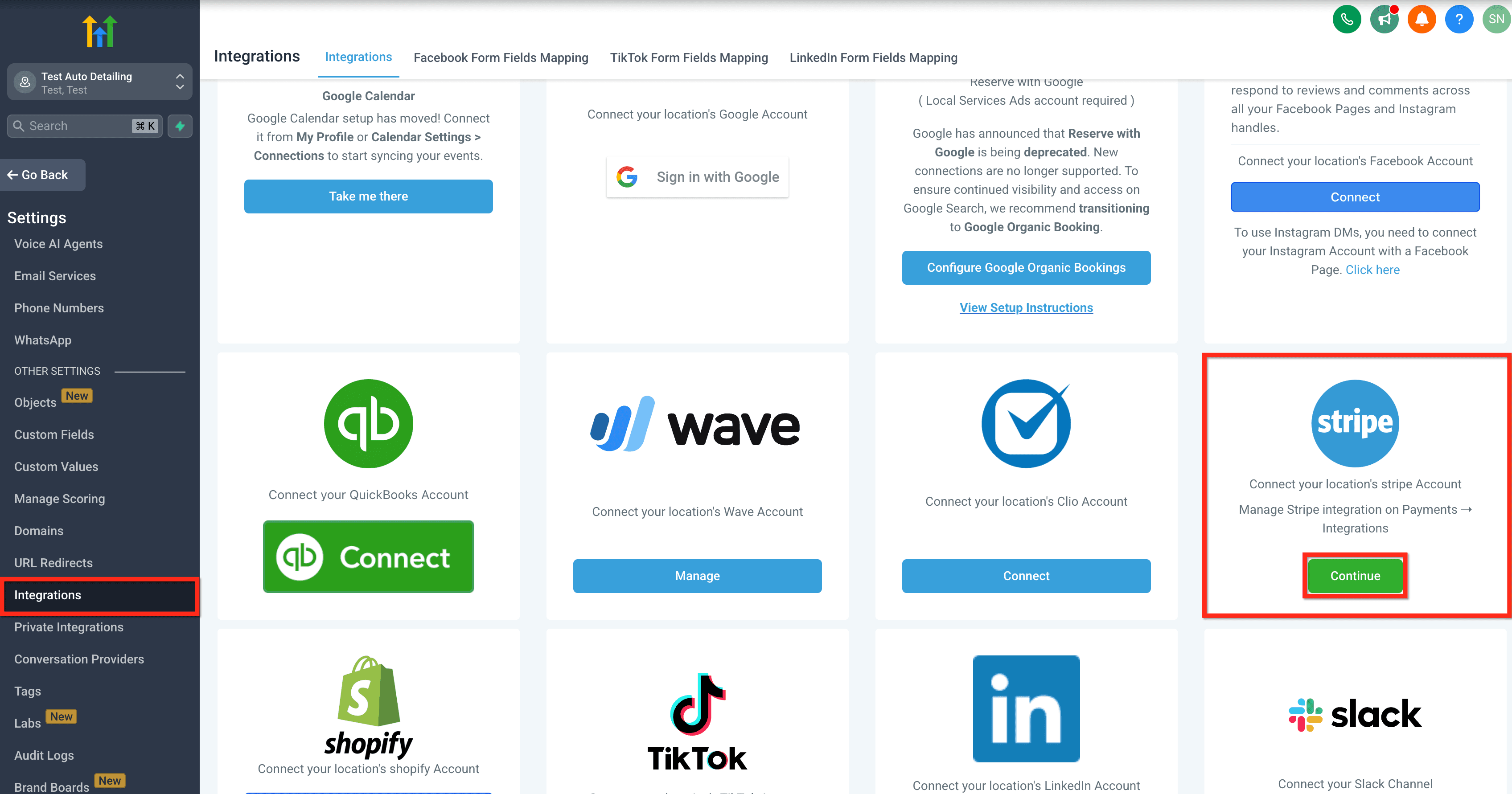
Opzione 2: Dalle Integrazioni
- Clicca su Settings dal tuo sub-account.
- Clicca su Integrations.
- Clicca sul pulsante Continue per Stripe.
Opzione 3: Dai Pagamenti
- Clicca su Payments dal tuo sub-account.
- Clicca sulla scheda Integrations.
- Clicca sul pulsante Connect per Stripe.

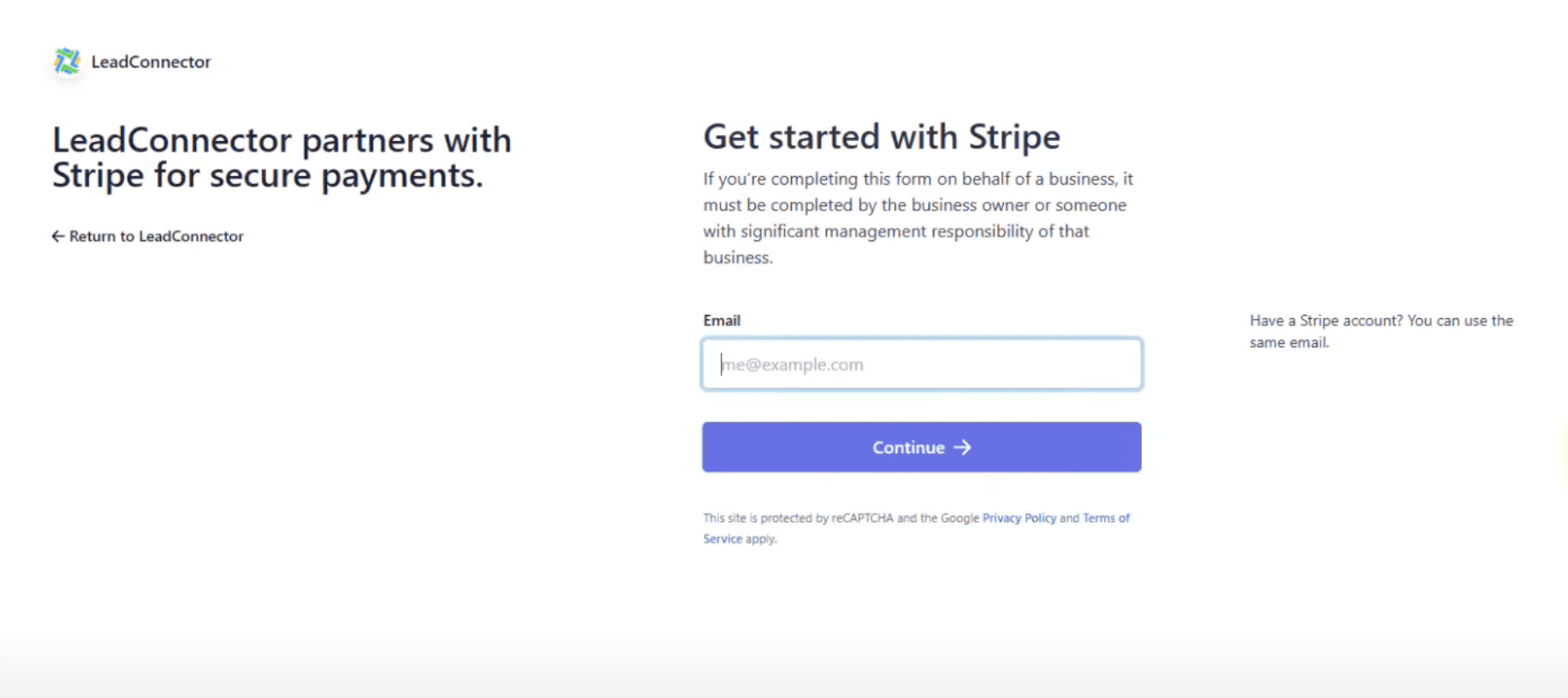
Step 2: Segui le istruzioni di autorizzazione di Stripe.
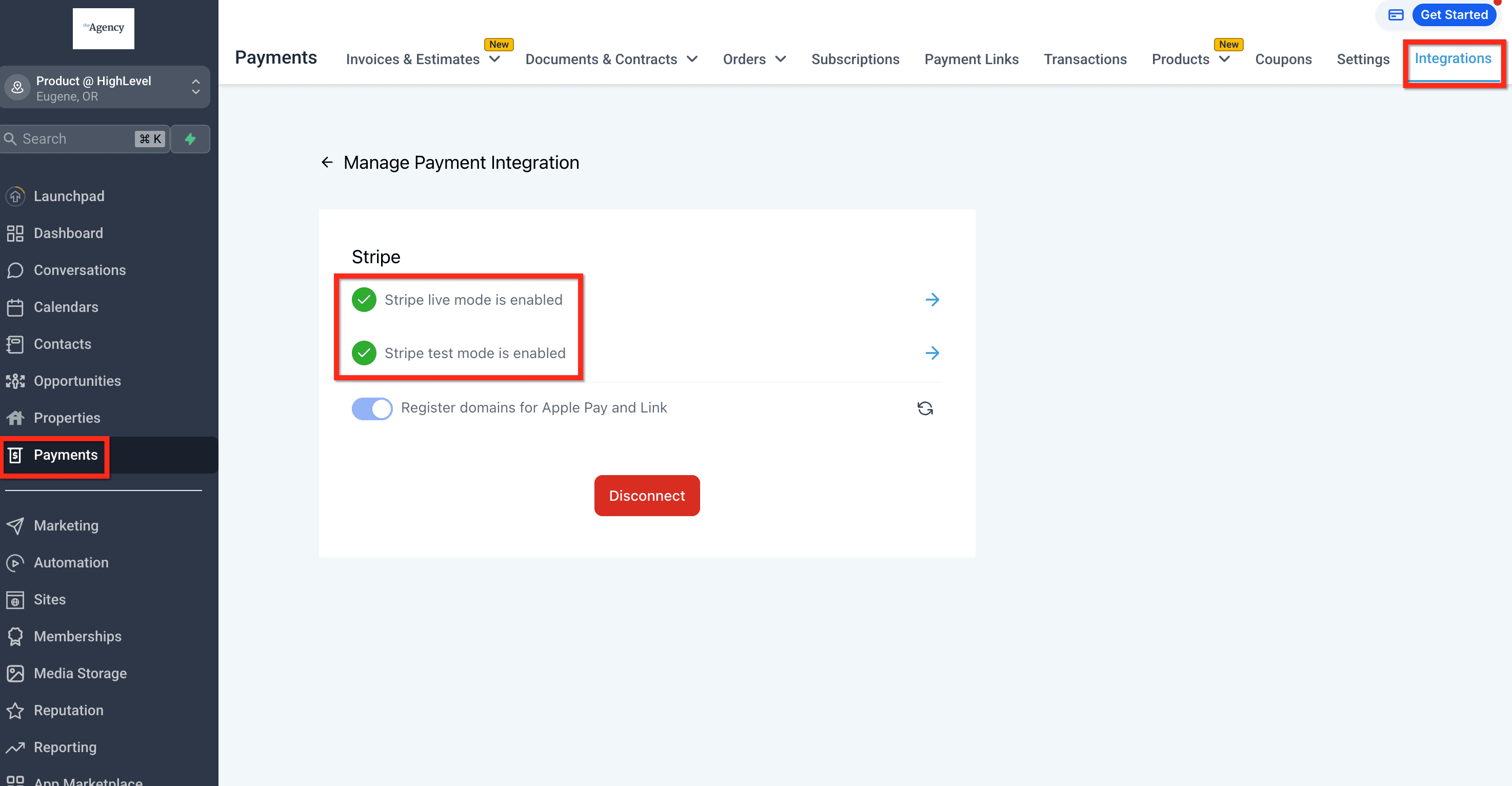
Step 3: Verifica che Stripe sia abilitato.
Questo articolo è stato utile?